Android handbook · 1.0.0
Split items with friends.
Choose the group and who shared each item.
Home → Tools → Split bills → New split bill
Split what each person had.
Use the standalone bill splitter for a meal or outing with item-by-item shares. It does not create ledger expenses automatically.
Name the bill and choose the group
Add or select saved friends. You are included. Then choose Next · Add items.
Add each full line total
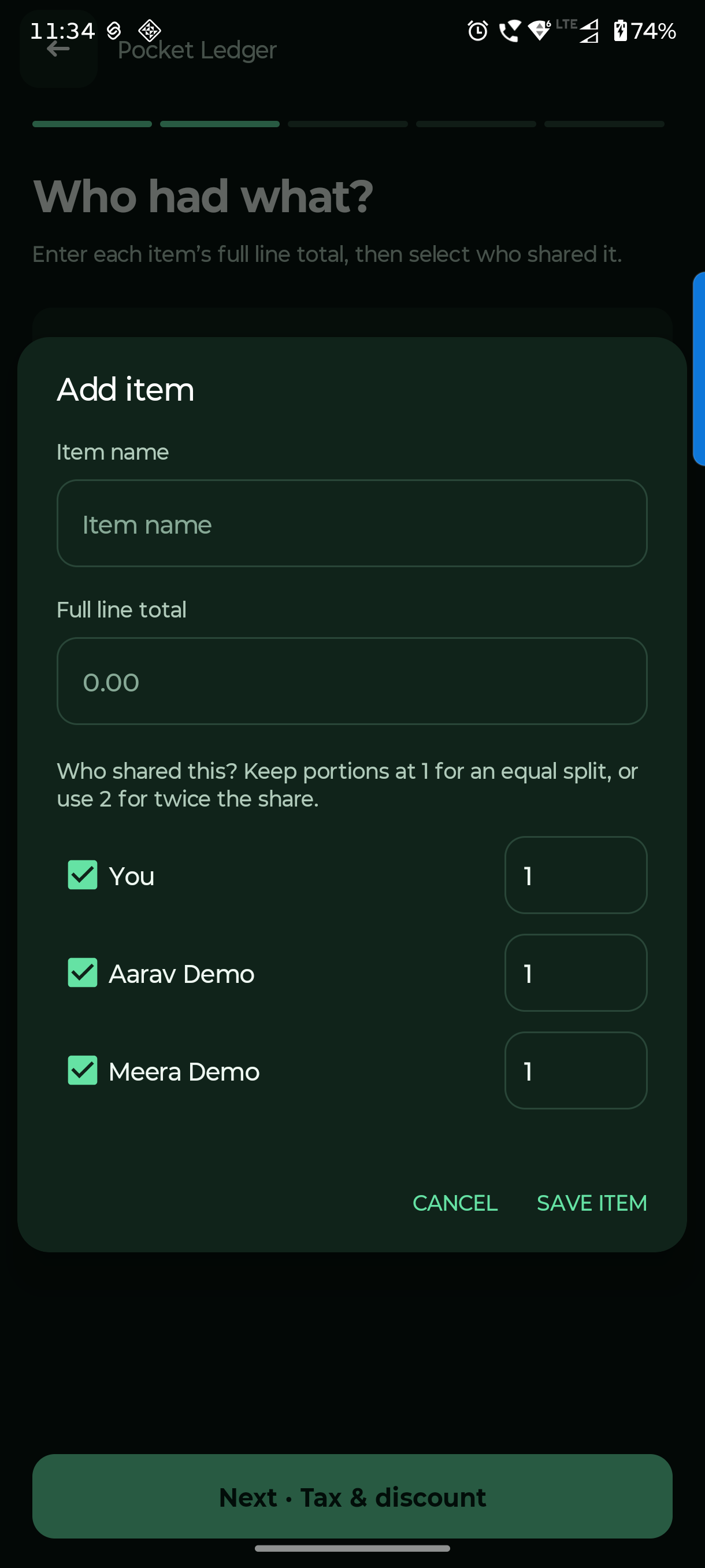
Enter the item name and the whole line amount. A ₹900 platter shared by three is entered as ₹900, not ₹300.
Choose people and portions
Tick only the people who shared that item. Keep portions at 1 for equal shares; use 2 for twice the share. Save item and repeat.
Saved split friends are reusable inside this tool. They are separate from Lena / Dena people. Split bills and saved split friends stay only on this phone.
Questions you might have.
Does saving this bill reduce my bank balance?
No. The standalone splitter calculates shares and payment records. Create the appropriate ledger entry separately if you want the actual money movement recorded in Accounts.
Can different items have different people?
Yes. Select the people and portion weights for each item independently. At least one person must share each item.